 ZisaLog: Beginner’s Guide to Building a Custom PC

Many people who build custom PCs may wonder what kind of parts other people choose, what configurations are popular, and which specifications are considered important.
For this reason, various statistics have been compiled based on the parts selected in the ‘Custom PC Parts Estimation and Compatibility Check Tool‘ developed and managed by the author.
This article summarizes the price ranges, CPU and GPU choices, memory and storage configurations, as well as the price ranges and popularity rankings of each part, all of which are important for PC performance. This information is useful for understanding the overall picture of custom PC builds.
For those who want to know more details about popular manufacturers, performance, specifications, and features of each part, please refer to the individual articles about each component mentioned later in this post.
– The data is based on information from the Custom PC Tool.
– Data period: From 2024/5/9 to 2024/08/09 (about 3 months)
– Number of data samples: About 5,000
– The vertical axis of the graphs shows the selection rate by users
– For easier viewing, the graphs focus on the most common ranges, so the total may not add up to 100%.
Select PC parts and online stores to instantly generate an estimate, check compatibility, and calculate power requirements. You can save up to five different builds, making it easy to try out multiple configurations.
≫ Tool:PC Parts Estimation & Compatibility Check Tool
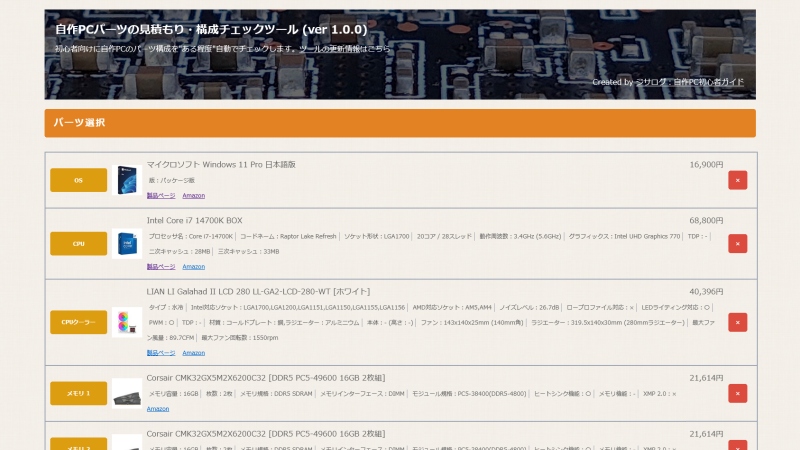
Table of Contents
Basic Data on Custom PCs
First, the most interesting points such as popularity rankings, manufacturers, and price ranges will be introduced.
Price Range of Custom PCs
The most common price range for custom PCs is between 140,000 and 280,000 yen.
The selections are spread out across different price ranges, not concentrated in just one.
Custom PC CPUs
Currently, AMD is slightly ahead with about a 6:4 ratio.
CPUs are updated to new generations about once a year, and each time, the market share changes greatly depending on performance, features, cost performance, and whether there are any issues.
Here is a summary by CPU generation.
Custom PC Graphics Cards
NVIDIA is overwhelmingly popular as the graphics card chip manufacturer.
Intel has recently entered the graphics card market, but its performance and cost performance are still lacking, making it a tough situation for now.
Focusing on NVIDIA, the RTX 4060 and RTX 4070 are the most popular.
There are also some high-end models like the RTX 4080 and RTX 4090, but their prices are extremely high and their performance is more than most people need, so few people choose them.
Even for demanding tasks like 3D gaming or video editing, the RTX 4060 and RTX 4070 are sufficient. Higher-end models are mainly for users who want to use AI, stream games, or do multiple tasks at once.
Custom PC Memory Configuration
The most popular total memory size is 32GB, followed by 16GB and 64GB at similar rates.
For 3D gaming, 16GB is enough. For gaming plus streaming or video editing, 32GB is recommended. For more advanced video editing, 64GB is a good guideline.
Custom PC Storage Configuration
There are three main storage types: M.2 SSD (≒NVMe SSD), SATA SSD, and HDD.
The most common storage setup is “1 M.2 SSD.” M.2 SSDs offer fast data transfer speeds and are reasonably priced at around 1TB, making them the mainstream choice today.
About 70% of users choose this configuration, making it overwhelmingly popular.
Next are setups with “1 M.2 SSD and 1 HDD” or “2 M.2 SSDs.”
Those who want to store a lot of data use an HDD in addition to the M.2 SSD for the system, apps, and games. Those who want faster transfer speeds for the second drive, even if they don’t need much capacity, choose a second M.2 SSD.
There is also the “1 HDD” setup, but since HDDs have slow data transfer speeds, they can make the OS, apps, and games load slowly. Unless there is a specific reason, this setup is not recommended.
Price Ranges and Popularity Rankings of Each PC Part
Here is a summary of the price ranges and popularity rankings for each part.
For rankings beyond the top 10, popular manufacturers, and data by specification or feature, please refer to the individual articles for each part.
Operating System (OS)
Here are the price ranges and top 10 popularity rankings for operating systems.
| 1 | 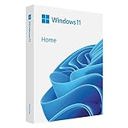 | マイクロソフト Windows 11 Home |
66.4% | ||
| 2 |  | マイクロソフト Windows 11 Home |
12.1% | ||
| 3 | 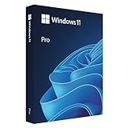 | マイクロソフト Windows 11 Pro |
9.4% | ||
| 4 |  | マイクロソフト Windows 11 Pro |
4.1% | ||
| 5 | 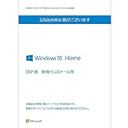 | マイクロソフト Windows 10 Home 64bit |
2.4% | ||
| 6 | 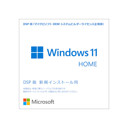 | マイクロソフト Windows 11 Home 64bit |
1.8% | ||
| 7 | 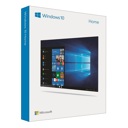 | マイクロソフト Windows 10 Home |
1.4% | ||
| 8 | 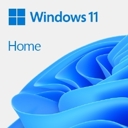 | マイクロソフト Windows 11 Home 64bit |
1% | ||
| 9 |  | マイクロソフト Windows 11 Pro 64bit |
0.6% | ||
| 10 |  | マイクロソフト Windows 11 Pro 64bit |
0.6% |
≫ Related article: Popular OS Recommendations and Selection Rates by Specification [Statistical Data]
CPU
Here are the price ranges and top 10 popularity rankings for CPUs.
| 1 | 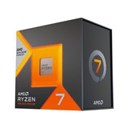 | AMD Ryzen 7 7800X3D |
12.3% | ||
| 2 | 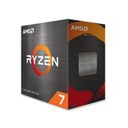 | AMD Ryzen 7 5700X |
5.4% | ||
| 3 | 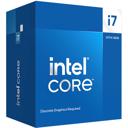 | Intel Core i7-14700F |
5.1% | ||
| 4 | 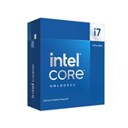 | Intel Core i7-14700KF |
5% | ||
| 5 | 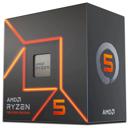 | AMD Ryzen 5 7600 |
4.8% | ||
| 6 | 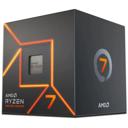 | AMD Ryzen 7 7700 |
4.3% | ||
| 7 | 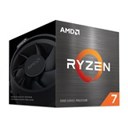 | AMD Ryzen 7 5700 |
4% | ||
| 8 | 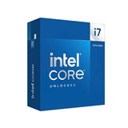 | Intel Core i7-14700K |
3.9% | ||
| 9 | 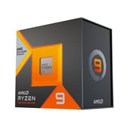 | AMD Ryzen 9 7950X3D |
3% | ||
| 10 | 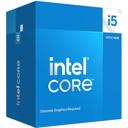 | Intel Core i5-14400F |
2.9% |
≫ Related article: Popular CPU Recommendations and Selection Rates by Specification [Statistical Data]
CPU Cooler
Here are the price ranges and top 10 popularity rankings for CPU coolers.
| 1 | 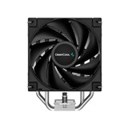 | DEEPCOOL AK400 R-AK400-BKNNMN-G-1 |
7.2% | ||
| 2 | 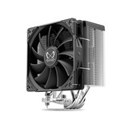 | サイズ 虎徹 MARK3 SCKTT-3000 |
4.6% | ||
| 3 | 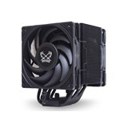 | サイズ MUGEN6 BLACK EDITION SCMG-6000DBE |
3.1% | ||
| 4 | 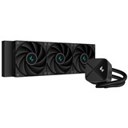 | DEEPCOOL LS720S ZERO DARK R-LS720-BKNNMM-G-1 |
2.9% | ||
| 5 | 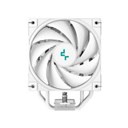 | DEEPCOOL AK400 DIGITAL WH R-AK400-WHADMN-G |
2.7% | ||
| 6 | 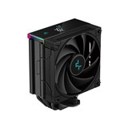 | DEEPCOOL AK400 DIGITAL R-AK400-BKADMN-G |
2.2% | ||
| 7 | 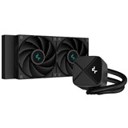 | DEEPCOOL LS520S ZERO DARK R-LS520-BKNNMM-G-1 |
2.1% | ||
| 8 | 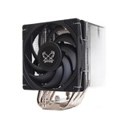 | サイズ MUGEN6 SCMG-6000 |
2% | ||
| 9 | 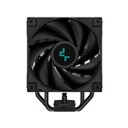 | DEEPCOOL AK400 ZERO DARK R-AK400-BKNNMN-G-2 |
1.9% | ||
| 10 | 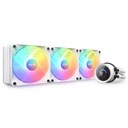 | NZXT Kraken 360 RGB RL-KR360-W1 |
1.6% |
≫ Related article: Popular CPU Cooler Recommendations and Selection Rates by Specification [Statistical Data]
Memory
Here are the price ranges and top 10 popularity rankings for memory.
| 1 | 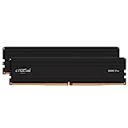 | crucial CP2K16G56C46U5 |
3.6% | ||
| 2 | 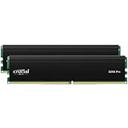 | crucial CP2K16G4DFRA32A |
3.6% | ||
| 3 | 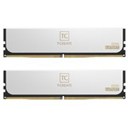 | Team CTCWD532G6000HC30DC01 |
3.5% | ||
| 4 | 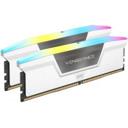 | Corsair CMH32GX5M2B5600C40W |
3.4% | ||
| 5 | 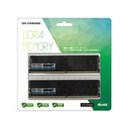 | CFD W4U3200CS-16G |
3.3% | ||
| 6 | 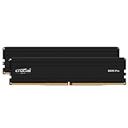 | crucial CP2K32G56C46U5 |
3.1% | ||
| 7 | 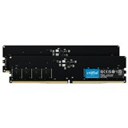 | crucial CT2K16G48C40U5 |
2.4% | ||
| 8 | 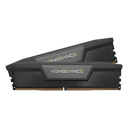 | Corsair CMK32GX5M2A4800C40 |
2.2% | ||
| 9 | 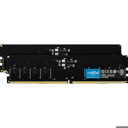 | crucial CT2K16G56C46U5 |
1.9% | ||
| 10 | 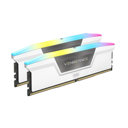 | Corsair CMH32GX5M2B6000C30W |
1.6% |
≫ Related article: Popular Memory Recommendations and Selection Rates by Specification [Statistical Data]
Motherboard
Here are the price ranges and top 10 popularity rankings for motherboards.
≫ Related article: Popular Motherboard Recommendations and Selection Rates by Specification [Statistical Data]
Graphics Card
Here are the price ranges and top 10 popularity rankings for graphics cards.
≫ Related article: Popular Graphics Card Recommendations and Selection Rates by Specification [Statistical Data]
SSD
Here are the price ranges and top 10 popularity rankings for SSDs.
≫ Related article: Popular SSD Recommendations and Selection Rates by Specification [Statistical Data]
HDD
Here are the price ranges and top 10 popularity rankings for HDDs.
≫ Related article: Popular HDD Recommendations and Selection Rates by Specification [Statistical Data]
Power Supply Unit
Here are the price ranges and top 10 popularity rankings for power supply units.
≫ Related article: Popular Power Supply Unit Recommendations and Selection Rates by Specification [Statistical Data]
PC Case
Here are the price ranges and top 10 popularity rankings for PC cases.
≫ Related article: Popular PC Case Recommendations and Selection Rates by Specification [Statistical Data]
PC Case Fan
Here are the price ranges and top 10 popularity rankings for PC case fans.
≫ Related article: Popular PC Case Fan Recommendations and Selection Rates by Specification [Statistical Data]
Summary: About Custom PC Statistical Data
This article has presented the overall configuration, prices, and popularity rankings of custom PCs, which should help in understanding the general trends in custom PC building.
For those who want to know which specifications are most chosen for each part, please refer to the statistical data for each component.
Select PC parts and online stores to instantly generate an estimate, check compatibility, and calculate power requirements. You can save up to five different builds, making it easy to try out multiple configurations.
≫ Tool:PC Parts Estimation & Compatibility Check Tool